Amazon Fire Tablets
The Future of Alexa
Feature Design and Product Strategy
Launched
Introduction
Background
Fire Tablets had a reputation as a 'content consumption' device. In a market where AI was redefining what every screen could do, that wasn't going to be enough.
This project was the answer to that gap, starting as a short-term GenAI feature exploration with a 1–2 year timeline, then expanding into a full product vision with a 3–5 year horizon after leadership approval. I led the design strategy from early exploration through to the final vision.
Opportunity
We had strong behavioral data on how customers used their tablets for entertainment, shopping, reading, and productivity. Our strategy wasn't to invent new behaviors, but to make the ones already happening smarter.
The goal: design a GenAI feature that fits how customers already use Fire Tablets, and positions the platform as a real competitor in an AI-driven market.
Outcome
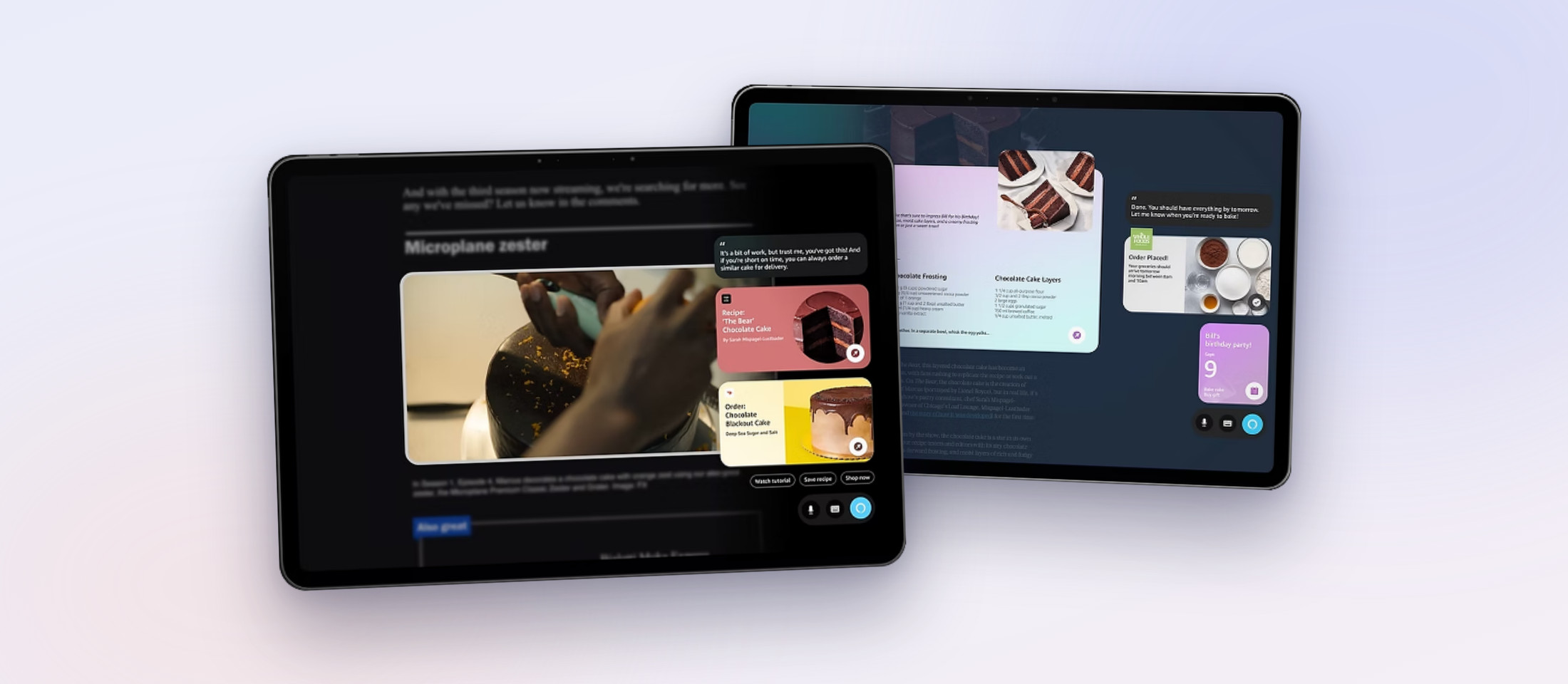
We designed a context-aware AI agent that could identify, predict, suggest, and act without pulling customers out of what they were doing. The feature was added to the Fire Tablets product roadmap, opened new revenue and customer acquisition opportunities, and changed how the organization thought about Tablets' role in Amazon's AI ecosystem.
From "AI on Tablets" to a clear product direction
I led four stages of research and framing: identifying high-value use cases, brainstorming solutions, connecting ideas to what we could build, and validating through a structured decision framework.
01Market Research
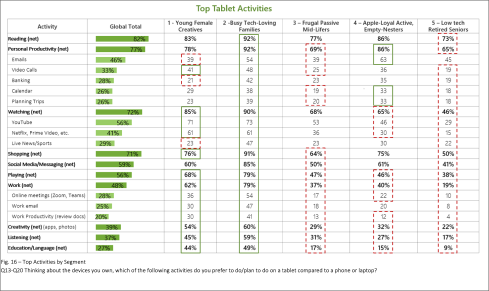
I analyzed user demographics, adoption rates, and behavioral data to find where Tablets already played a significant role in customers' lives. High-usage areas pointed to both stronger user needs and stronger business opportunity.
What the data showed: entertainment, shopping, reading, and productivity were clear areas of impact.
02Brainstorming within focus areas
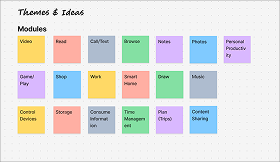
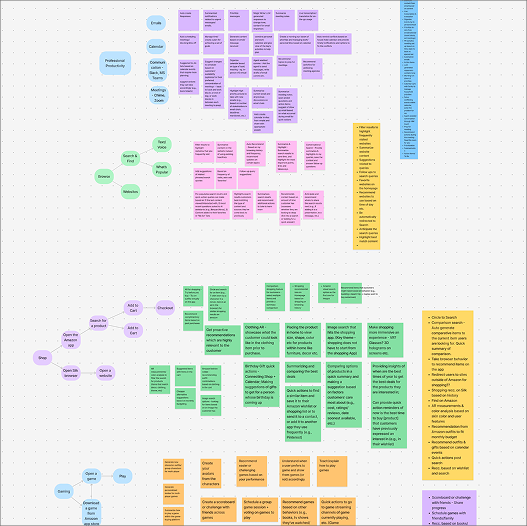
I ran brainstorming sessions with product, engineering, and design teams to encourage diverse strategies. All ideas needed to be grounded in a single constraint: it had to connect to something customers were already doing. Features like contextual summarization, visual search, conversational chat, and transcription emerged as the strongest candidates.
03Connecting ideas to what we could actually build
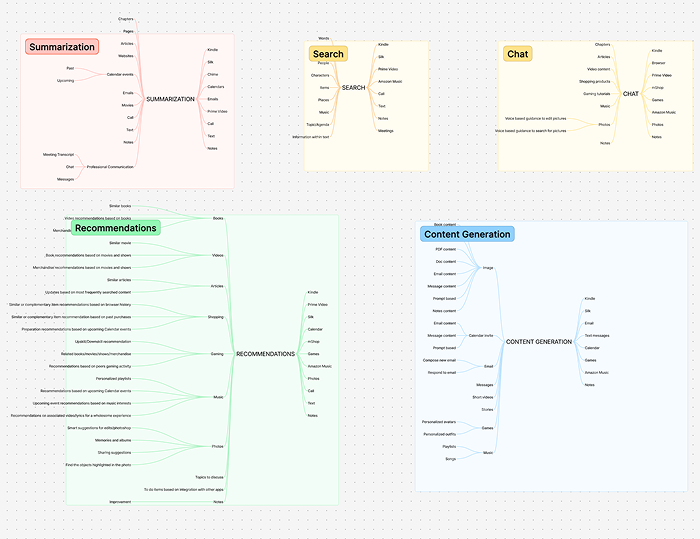
With product stakeholders, I mapped each solution against resources we already owned, had access to, or could feasibly build. This step also surfaced collaboration opportunities with adjacent teams, which was important for both feasibility and long-term scalability.
04Validating and Prioritizing
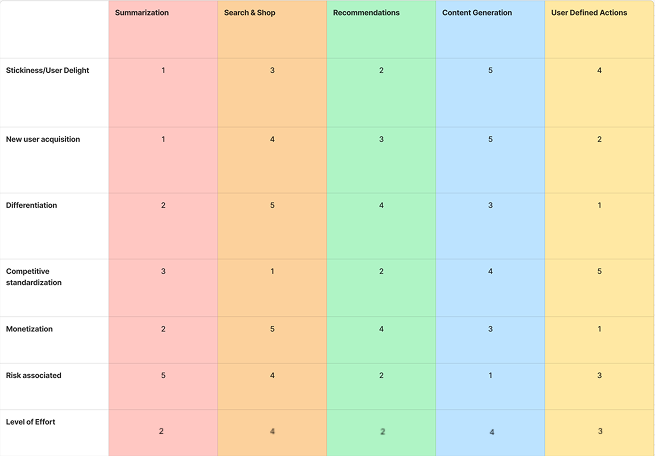
I built a decision matrix scoring each feature against feasibility, development effort, user delight, and risk. The output was clear: the highest-scoring features, contextual suggestions, visual input processing, quick actions, all shared the same underlying input model and produced the same type of output.
They weren't separate features like we thought, they were just fragments of the same feature.
The pivot: one agent, not many features
Tablets are...
Building top features separately would fragment the customer experience with no real benefit. The matrix told us that the right architecture was one unified GenAI agent that could adapt across contexts, instead of what to build first.
Tablets are visual-forward, voice-compatible, and app-integrated. A single agent with those three capabilities at its core was the only version that could work across the full range of how customers used their devices.
Building the interaction model
Mapping out the concept
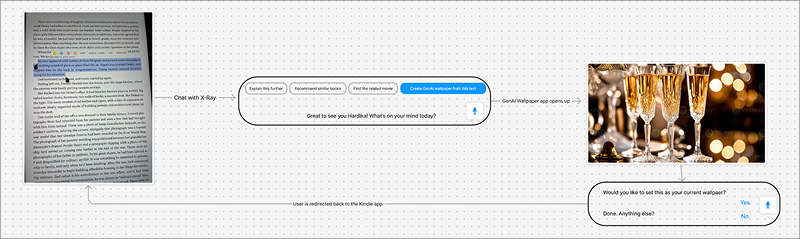
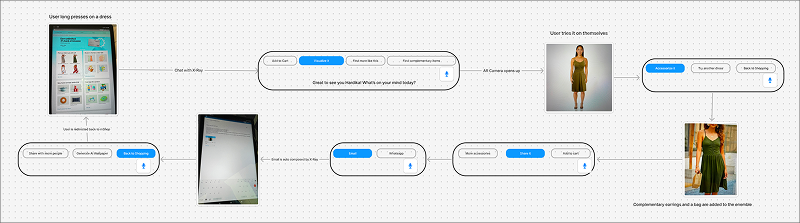
We started with rough user flows to understand how an AI agent would show up in real customer moments like watching a video, reading, shopping, etc. The core principle was to surface suggestions based on what the customer is already doing, without interrupting it.
The inspiration was FireTV's X-Ray feature that layers context onto an experience rather than pulling you out of it. We wanted to build on that model and push it further to an agent aware of current activity, location within the interface, and what actions would be useful right now.
What inputs does the feature need?
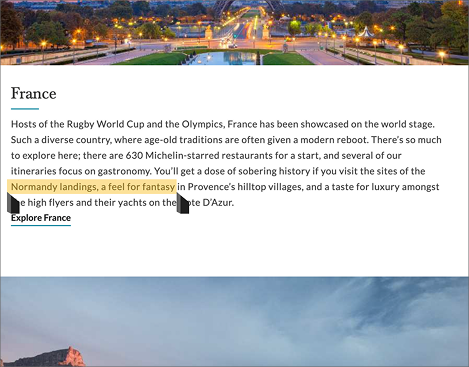
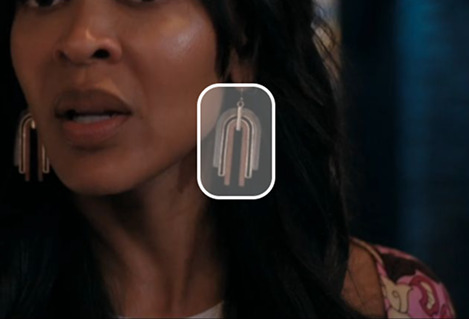
I worked through target use cases to figure out what kind of input the model needed to work well. Since Tablets are entertainment and productivity-forward, our main scenarios came down to: visual input (streaming, images, in-app content) and text input (articles, Kindle, web pages, 3P apps).
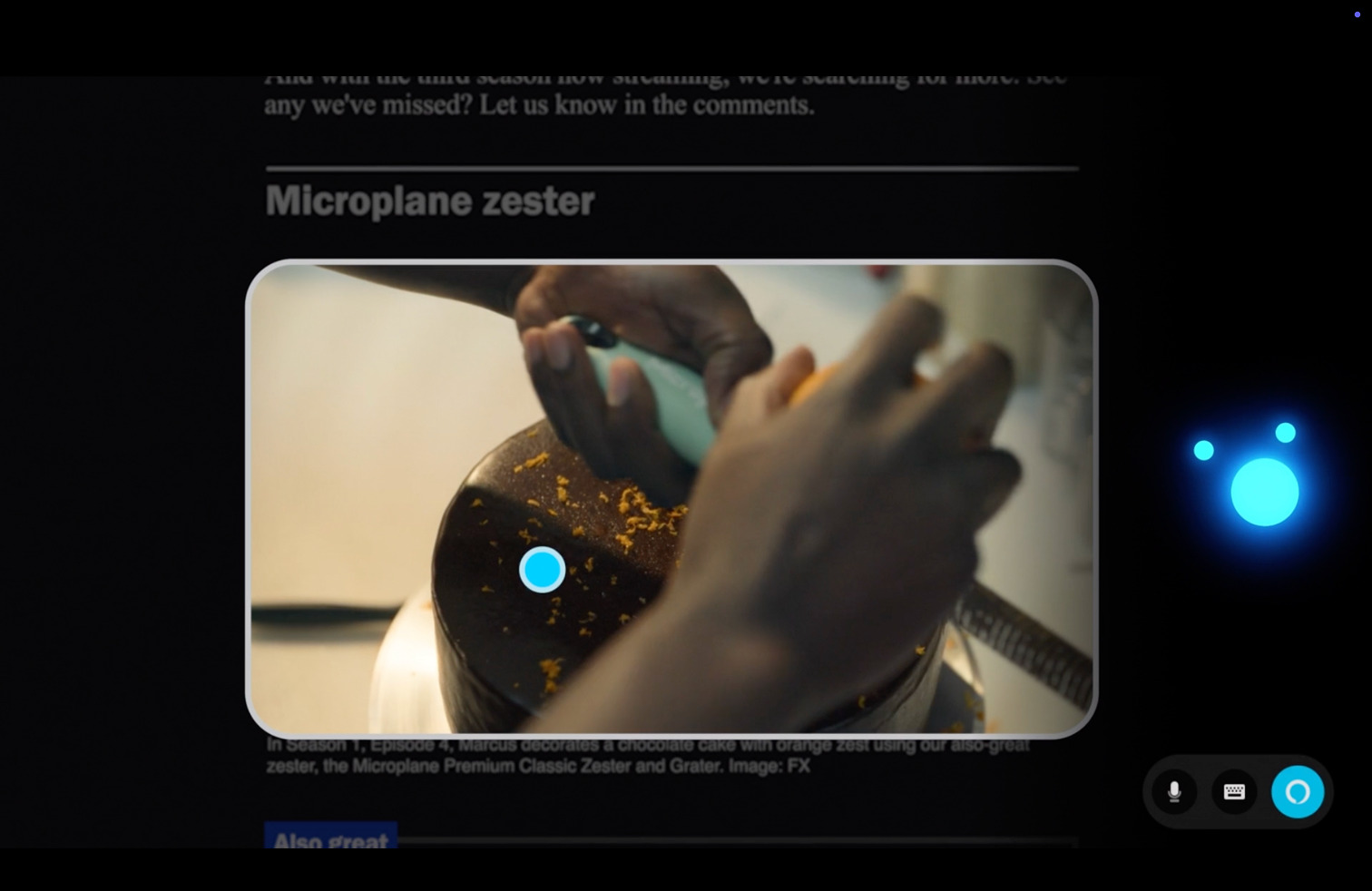
From that, two input methods: text selection (like highlighting) and image selection (tap or drag over visual content). Simple, intuitive, and broad enough to cover the majority of real scenarios without requiring customers to learn a new paradigm.
Applying the model to real scenarios
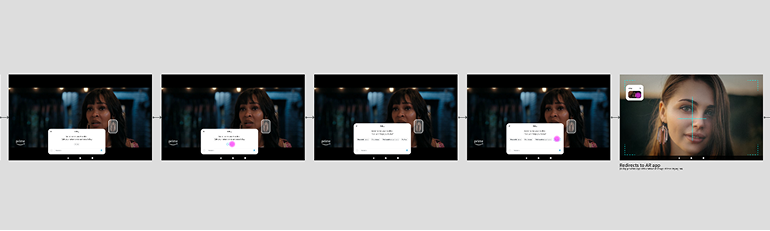
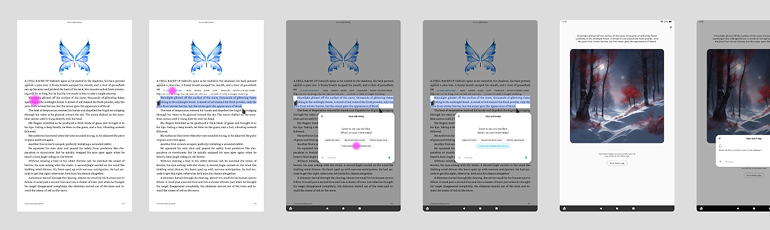
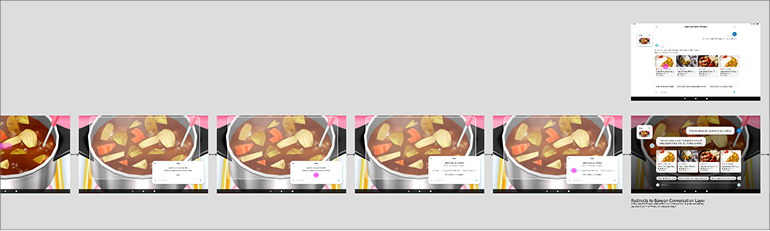
I built visual flows for three core use cases: gaming, video, shopping, and reading, chosen to cover different input types and contexts. This stress-tested the model and revealed where it broke down before going further.
The agent took the form of a moveable modal, surfacing quick actions and suggestions. Our priority here was clarity, speed, and minimal disruption.
How would customers trigger the agent?
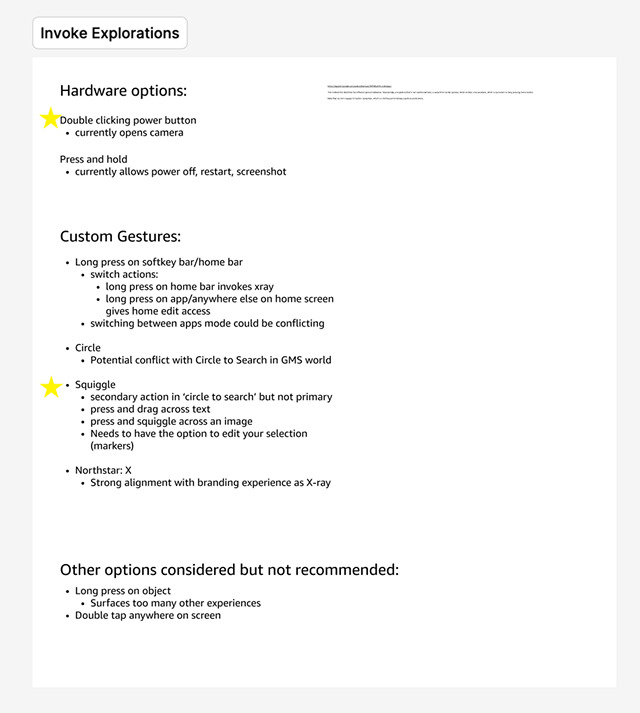
I mapped existing Fire Tablet gesture patterns first including two-finger taps, long-press, swipe, and ruled them out because they already carried established meanings. Custom gestures were the right direction to avoid changing our users' mental models.
I explored an X gesture (a nod to X-Ray on FireTV) but moved away from it. Our feature had more nuance, and tying it to FireTV's mental model would quietly limit customer expectations. I landed on a custom squiggle gesture over images and press-and-drag over text: distinct, learnable, conflict-free.
Pushing back on the modal
The product team had aligned on a modal design but I raised a concern that we had previously missed: an opaque modal would actively block content. In error states like accidental triggers, it would cover the screen entirely, directly conflicting with the core design tenet we'd set: the agent must be unobtrusive.
Rather than flag it and move on, I brought it back as a design problem worth solving before going further. So we went back to the drawing board to brainstorm what other forms could our agent take?
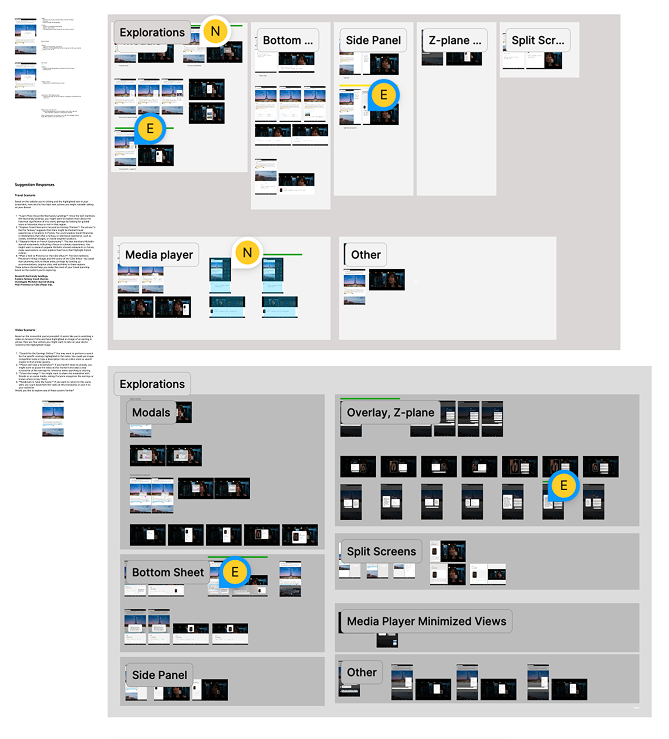 Side panels, transparent modals, Z-plane layouts, etc.
I ran a broad exploration of alternate forms like side panels, translucent overlays, Z-plane layouts, and brought them to a team-wide critique before narrowing. Each form had different implications for screen real estate, error states, and scalability across content types.
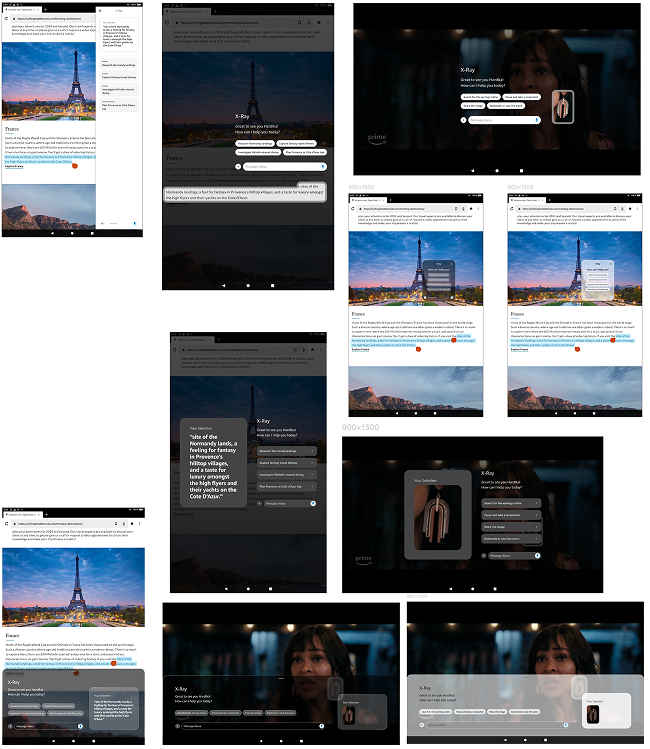 Translucency, Z-plane positioning, and selection history
Refining after feedback: A second iteration focused on the strongest directions from the critique included translucency, Z-plane positioning, and selection history. I worked in parallel with engineering to confirm feasibility with existing voice agent patterns and GenAI engines. The goal was to be ambitious but buildable with our infrastructure.
Pitching the concept and expanding the scope
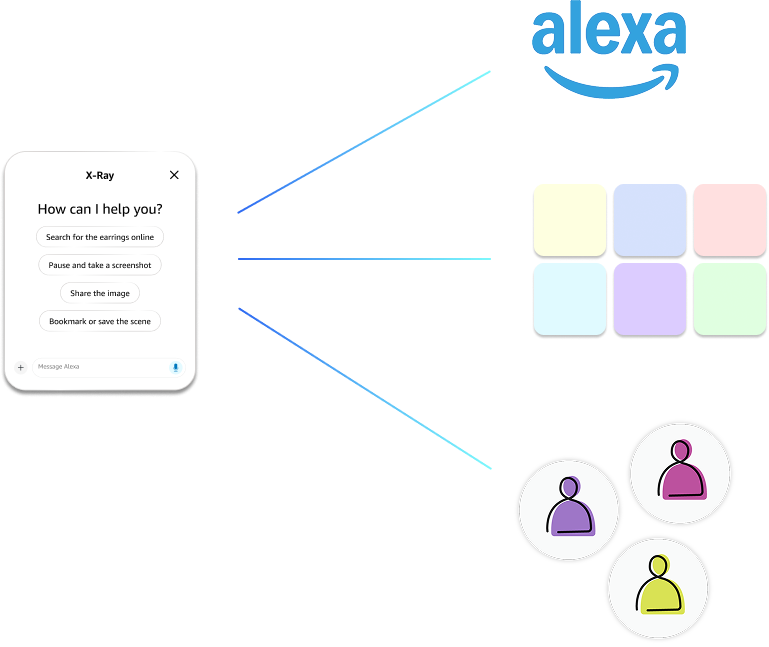
I led the presentation to senior leadership and the proposal was approved. The main piece of leadership feedback turned into a scope expansion: the feature would be significantly more powerful with Alexa's conversational layer, giving us multi-turn conversations, 3P integrations, learned customer patterns, and Alexa's full ecosystem. That expanded the timeline from 1–2 years to a 3–5 year vision.
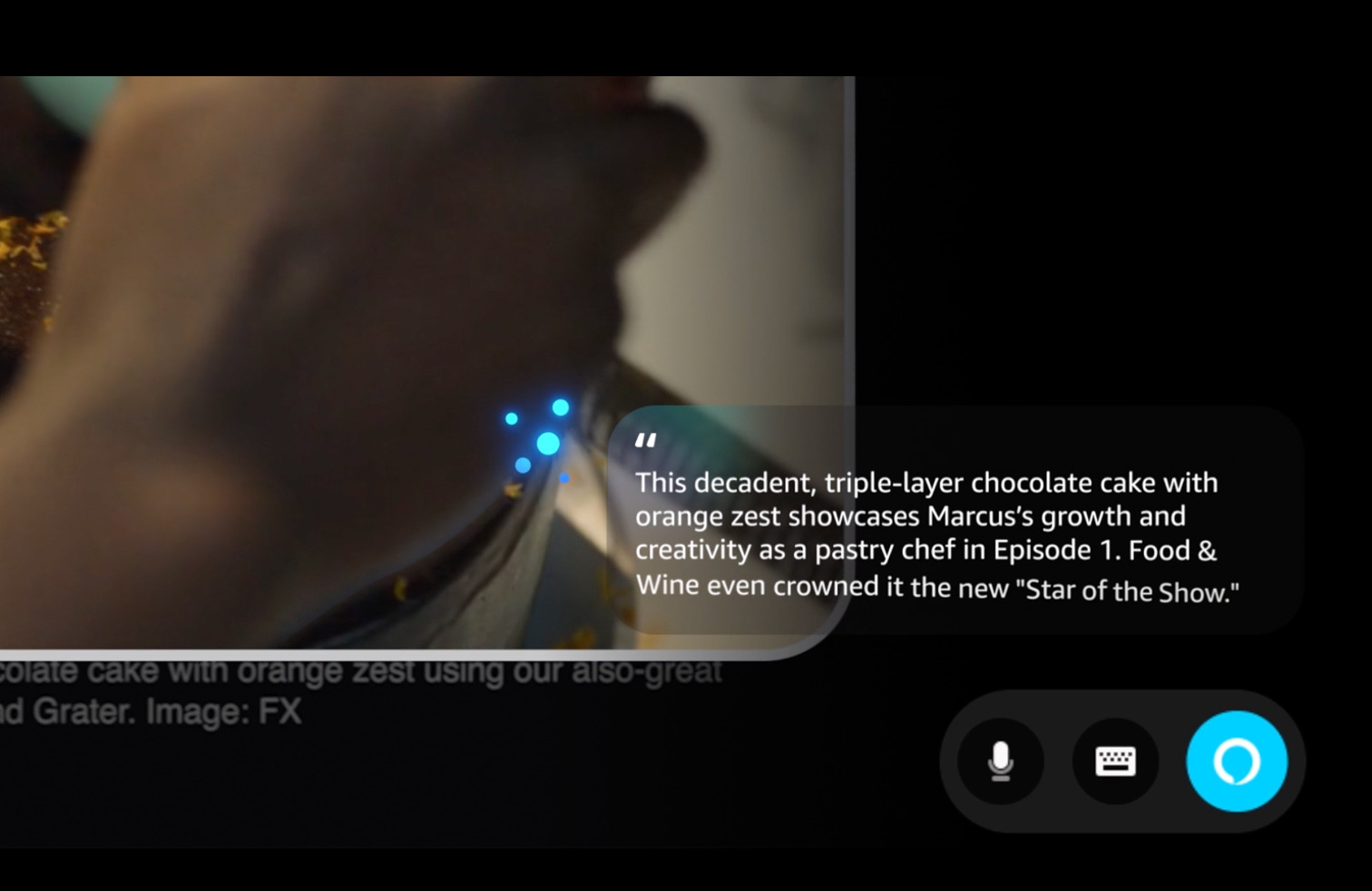
The Alexa integration wasn't just a leadership suggestion but it solved a real design gap. The visual-only agent could surface suggestions but couldn't complete actions or maintain context across tasks. Alexa made that possible and transformed the agent from something that reacted to the current moment into something that could operate across the customer's full context.
Visual Remodel
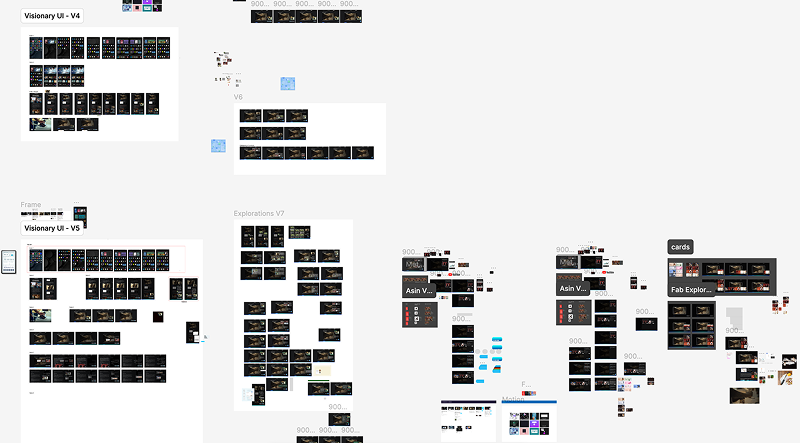
With Alexa integration unlocked, I worked with the visual design team to reimagine how the agent looked and communicated. We expanded scenarios to include multi-turn conversations, contextual actions, and automation, designing toward the right north star even though near-term feasibility wasn't there yet.
Interaction Remodel
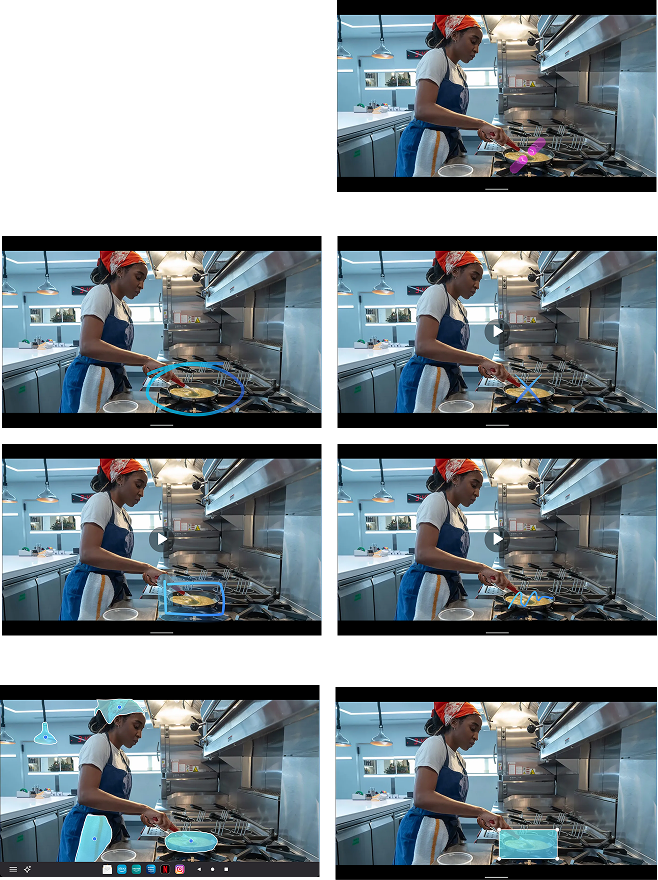
With a longer runway, I revisited the trigger model. Hardware fixes that had been an earlier constraint became possible with more resources available, which meant custom gestures were possible. I reopened explorations that had been ruled out due to resourcing and added gestures with looser constraints like circles, squiggles, boxes, X, and passive image detection.
Building the vision
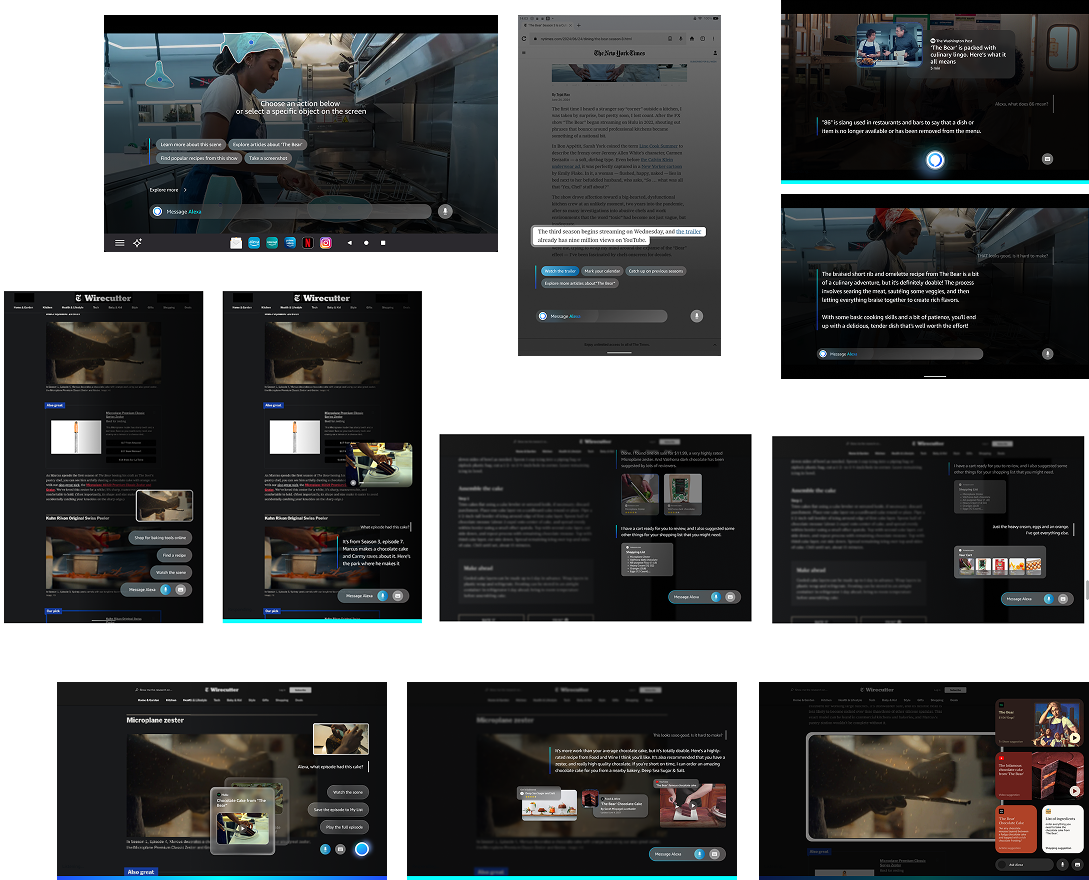
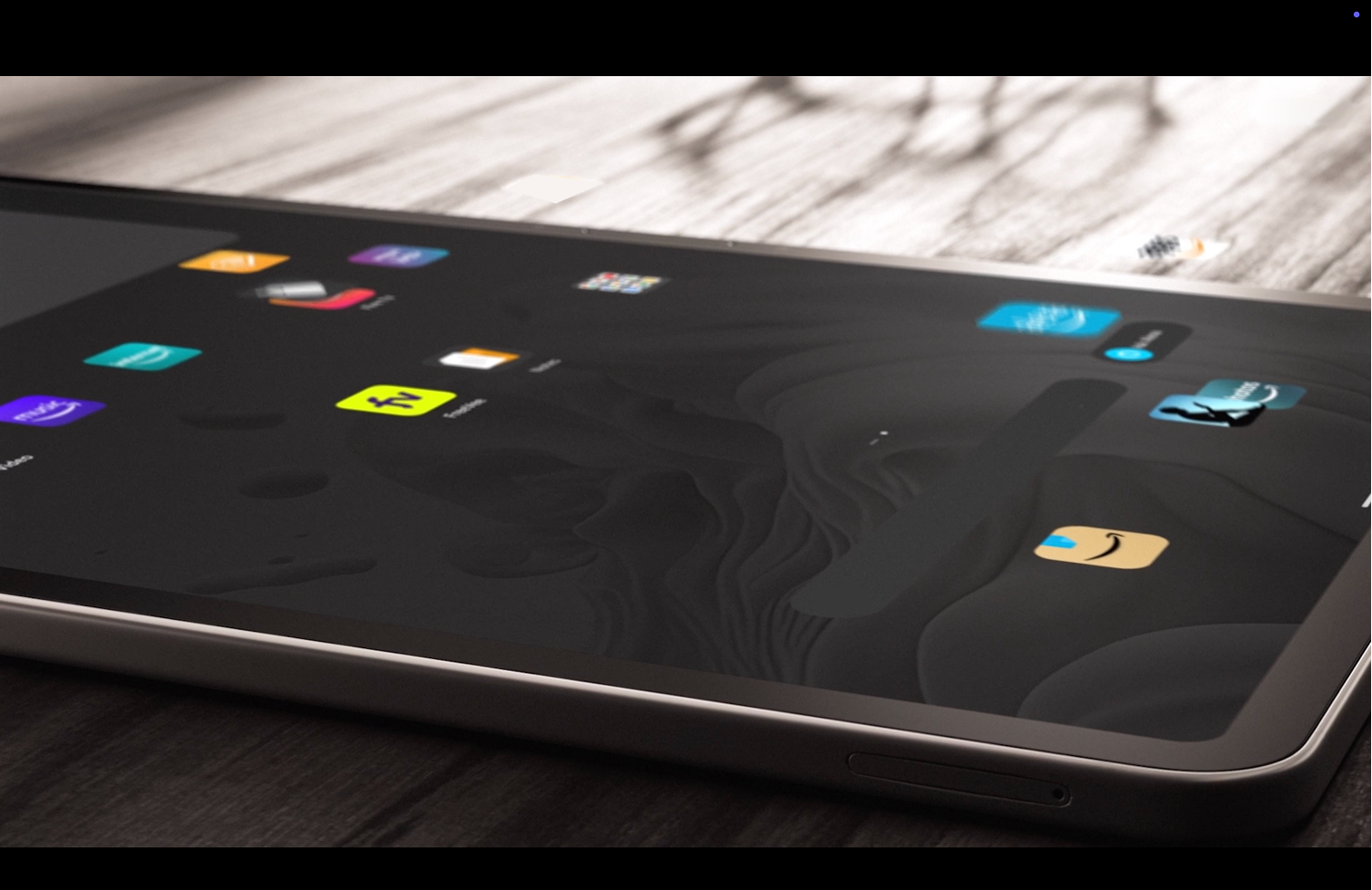
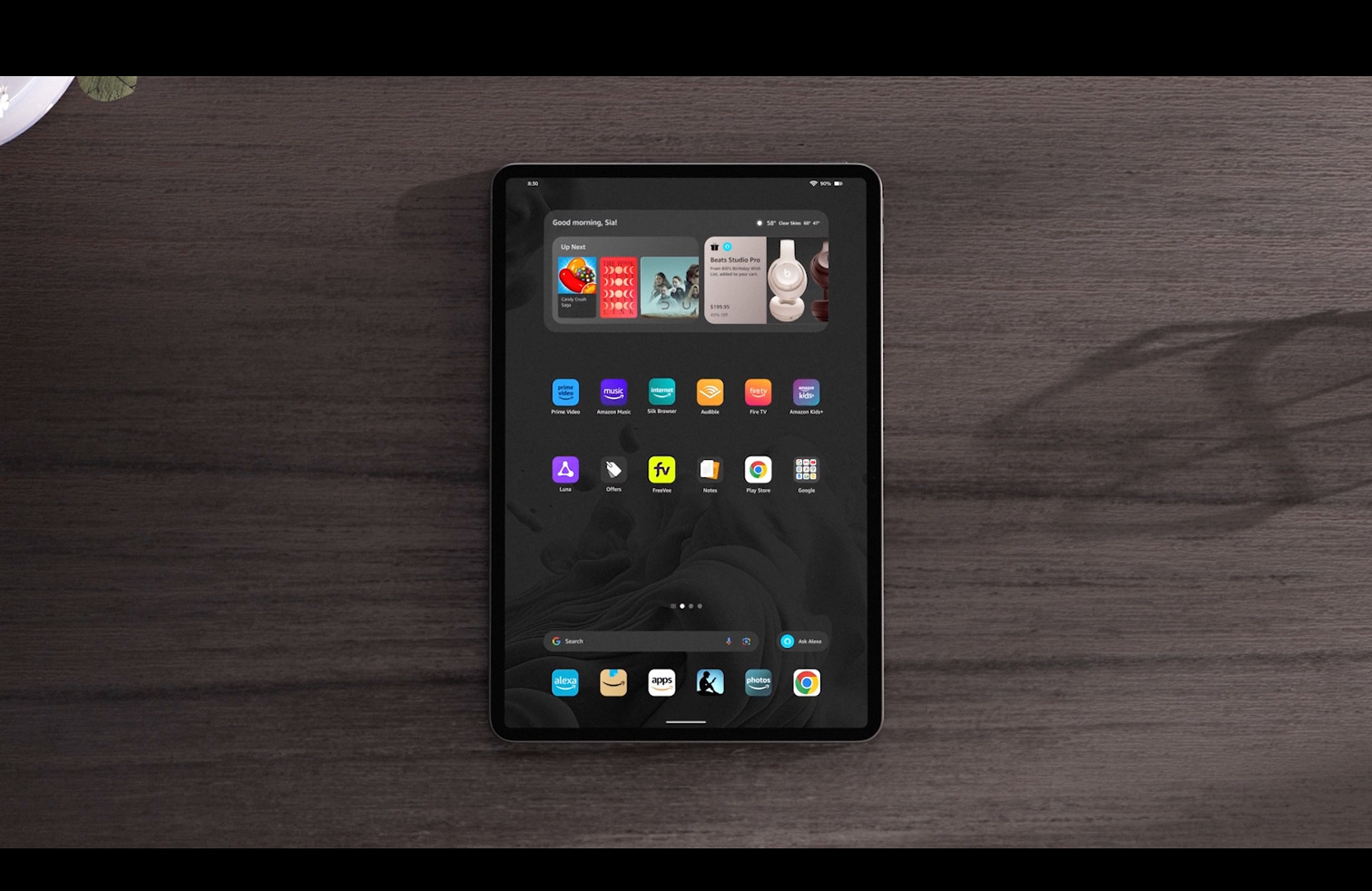
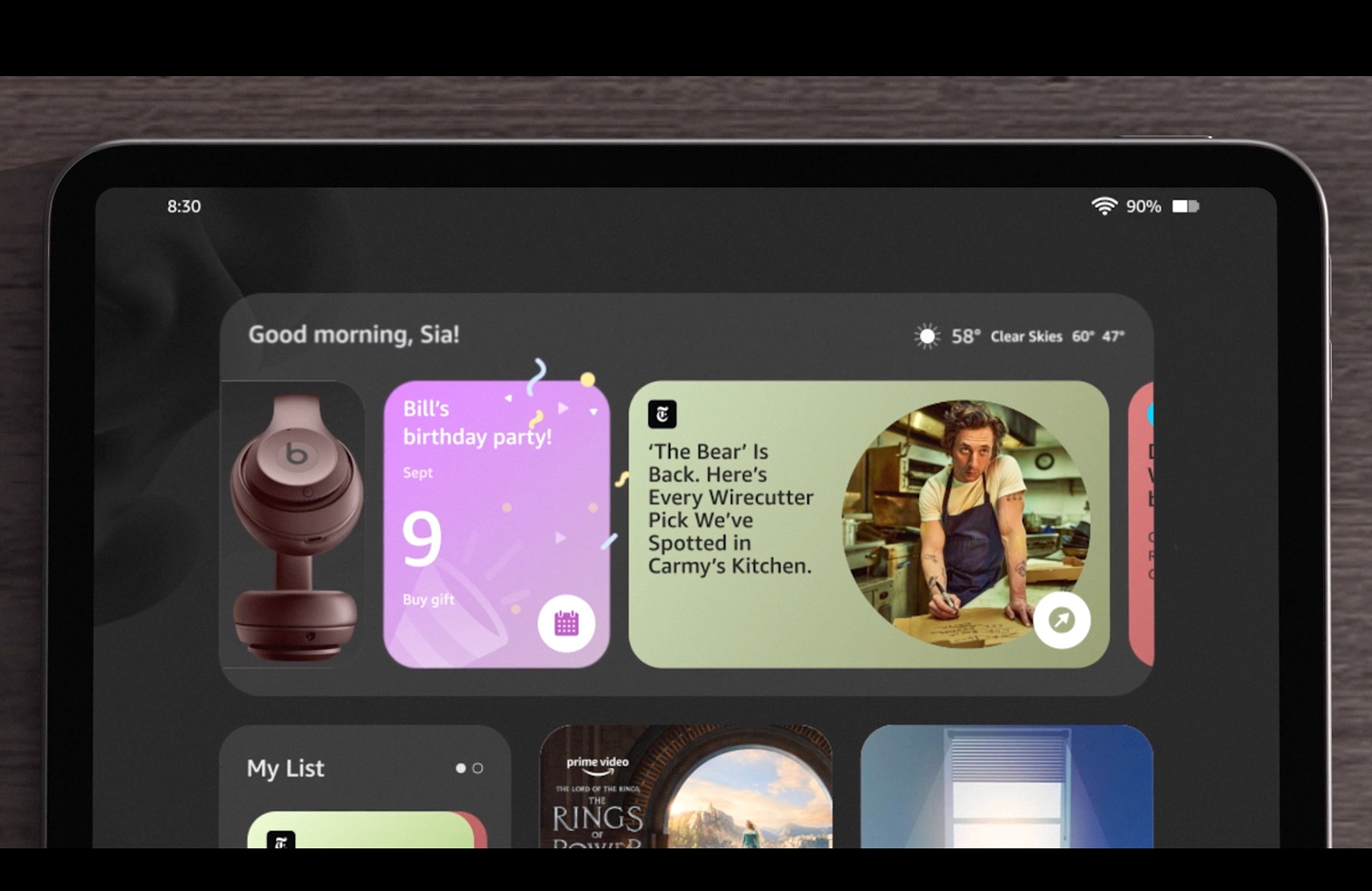
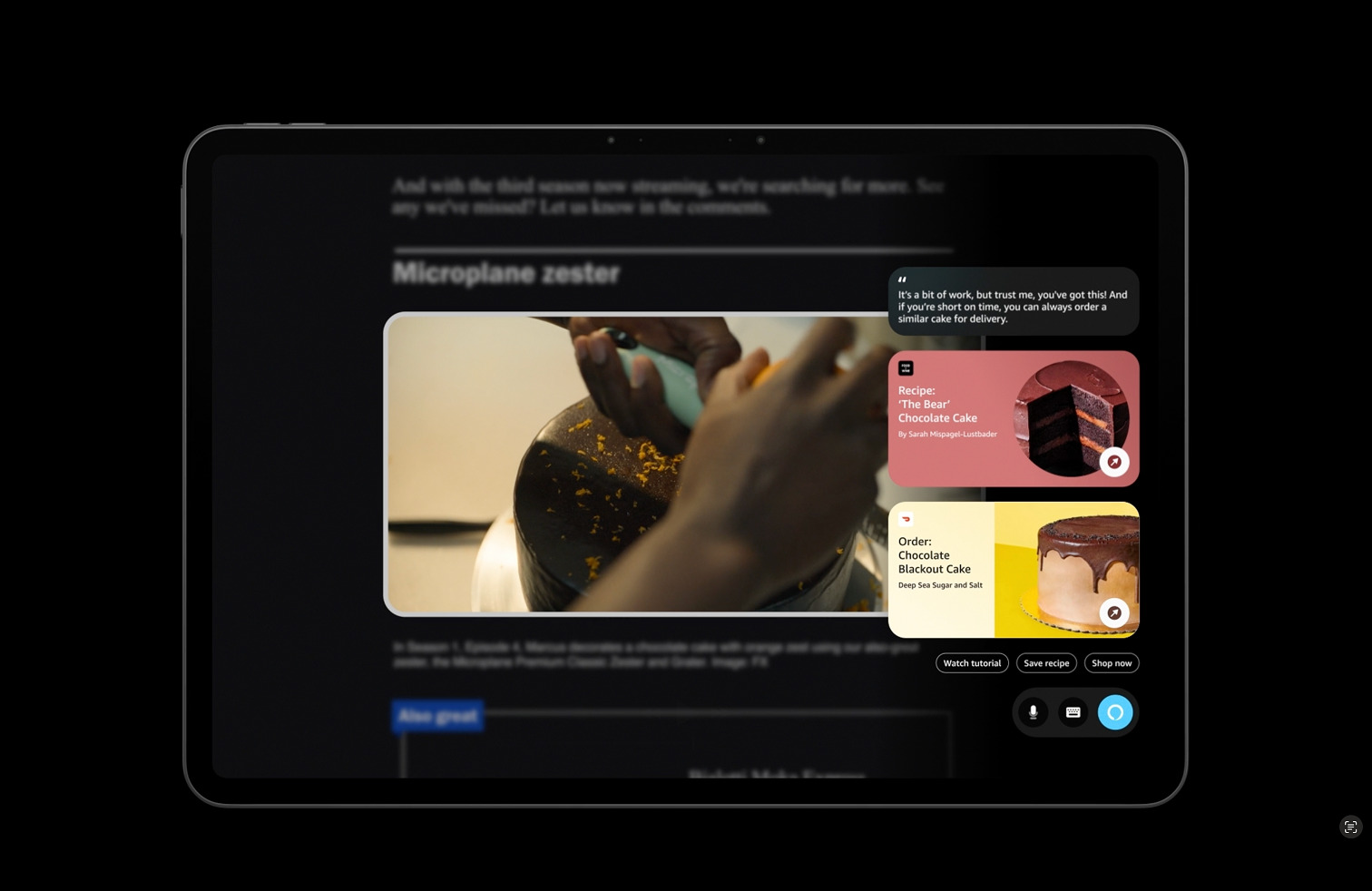
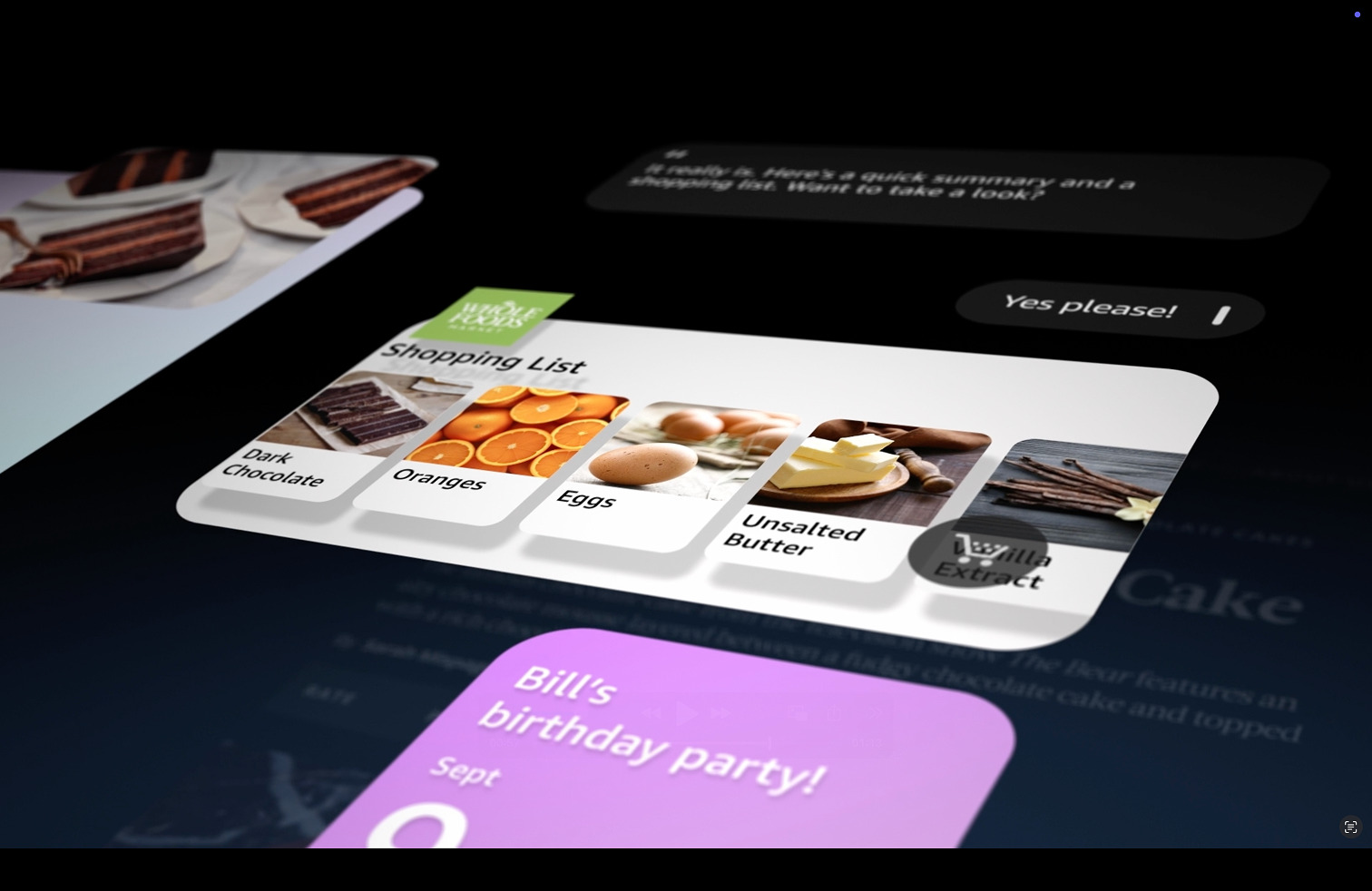
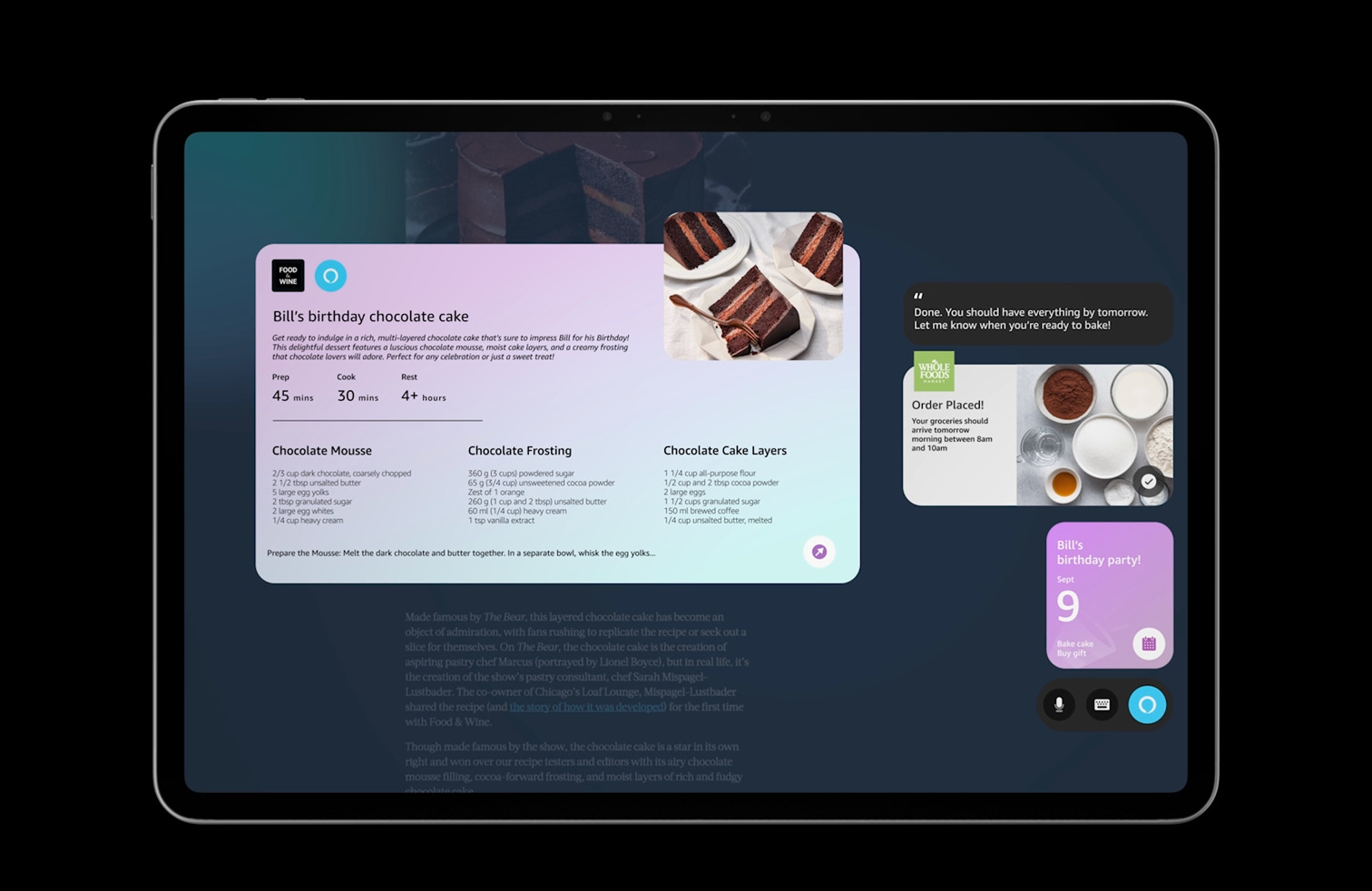
To pitch a 5-year vision that was only imaginable today, to leadership committing real roadmap resources, a static deck wasn't going to be enough. I made the call to build a vision film instead, working with visual design, art direction, and motion teams to let people feel what the product would be like, not just understand it.
A film makes the future tangible and inspired us to answer questions like "What does a new generation of Fire Tablets look like with this agent at its core? What does the brand feel like? What is the customer's relationship with their device in 3-5 years?"
The Future of Alexa on Tablets
Stills from the vision film
What this project opened up
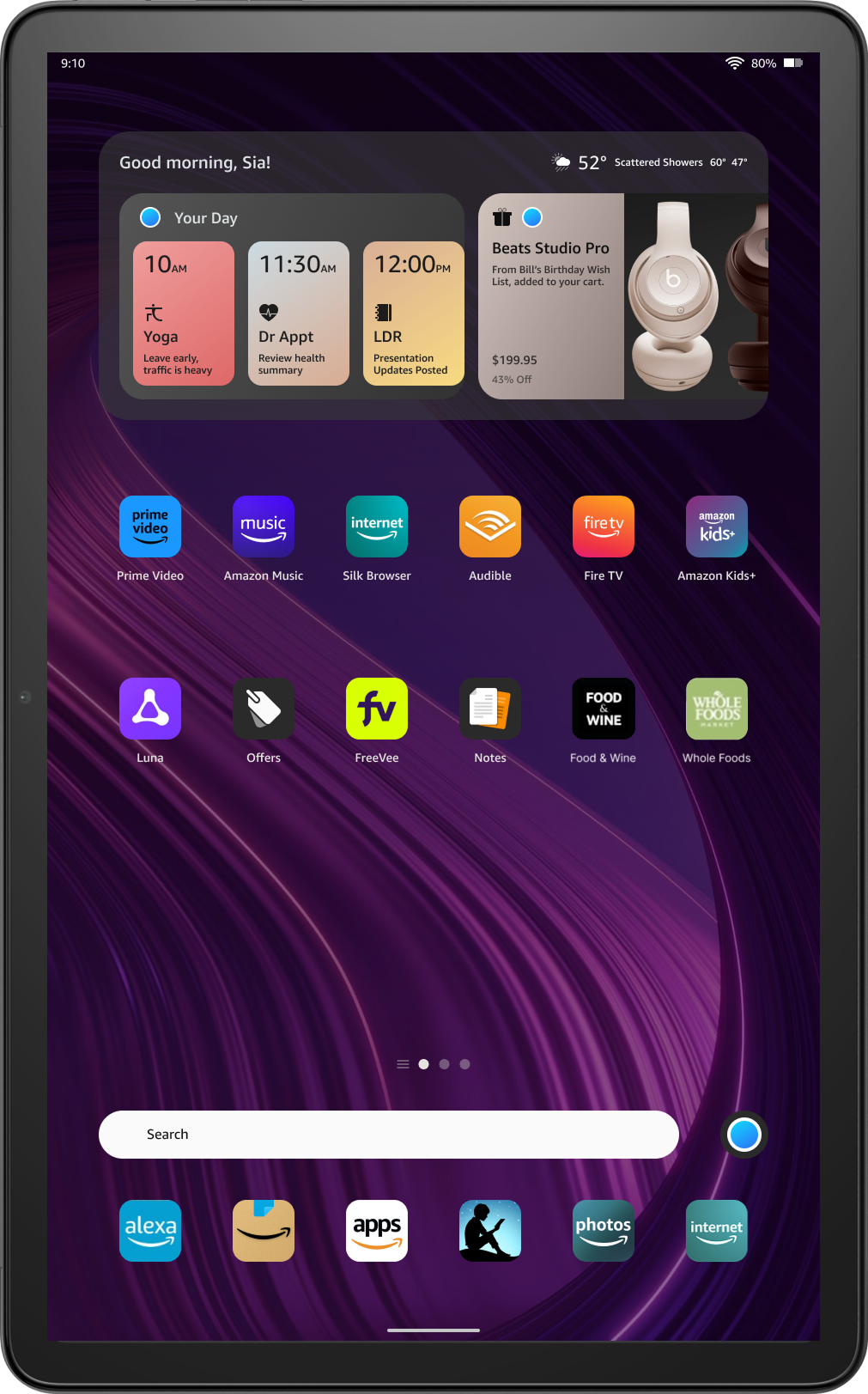
This feature was added to the Fire Tablets roadmap as the future of agent interaction. The initial version entered development. The project received recognition from senior leadership and directly influenced how Tablets were positioned in Amazon's AI strategy.
What I learned
Commit before the path is fully clear
Long-horizon projects have a trap: waiting for enough information before deciding. At a certain scope, more research gets you stuck in analysis paralysis. This doesn't just stall progress, it also doesn't resolve ambiguity and making a decision is the only way to move forward. Learning from this, I like to incorporate explicit decision points into long-horizon work so exploration doesn't become a permanent state.
The pivot as a skill
Stepping back to reframe the problem from multiple features to one agent, from a standalone tool to an Alexa-integrated vision, required slowing down before speeding back up. Knowing when to do that is something I actively bring to projects now.
Choose the right artifact for the audience
A 5-year vision in a slide deck is an abstraction. A vision film is an experience. The film worked because it made leadership feel the product. That lesson has changed what I bring into every high-stakes presentation.